Personal finance, made simple
Track your money as fast as you type.
Type “coffee 25k gopay”, snap a receipt, and see where your money goes. Totalin works offline on your phone and syncs to the web.
- Coming soon toApp Store
- Get it onGoogle Play
Free to start. No ads. iPhone, iPad, Android and the web
Features
Everything you need, nothing you don’t
Made for every day: quick to log, easy to read, and the same on every device.
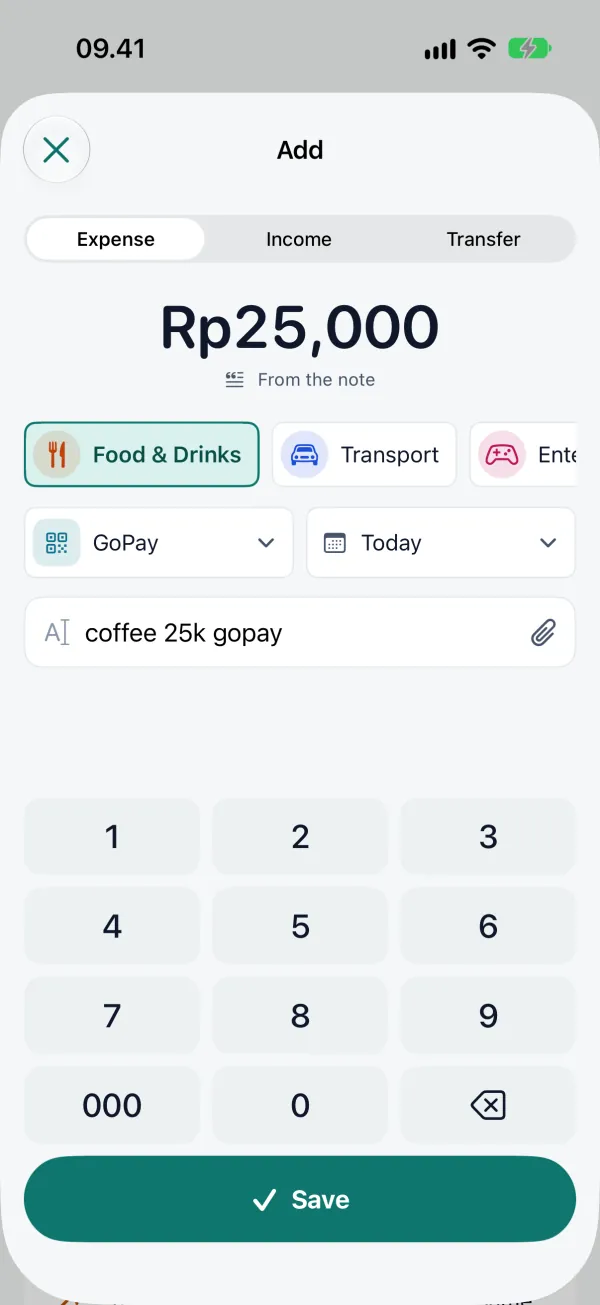
Log as fast as you type
Type “coffee 25k gopay”: amount, category and wallet are filled in.
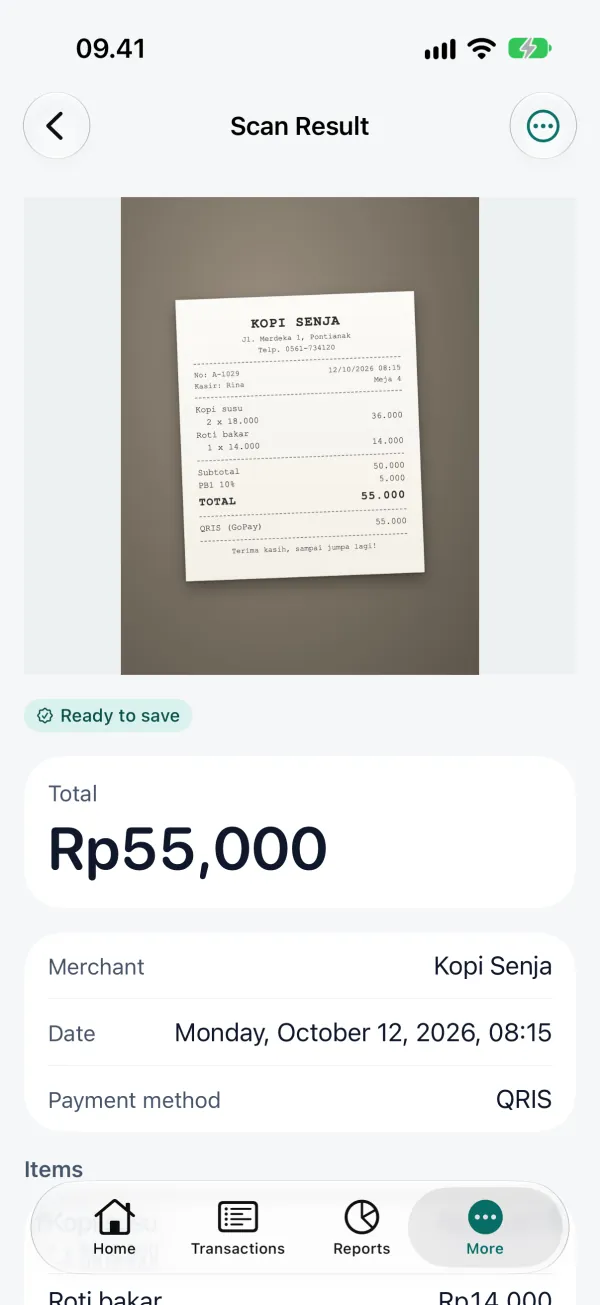
Snap a receipt, get the record
Store, date, items and total are read for you. Just check and save.
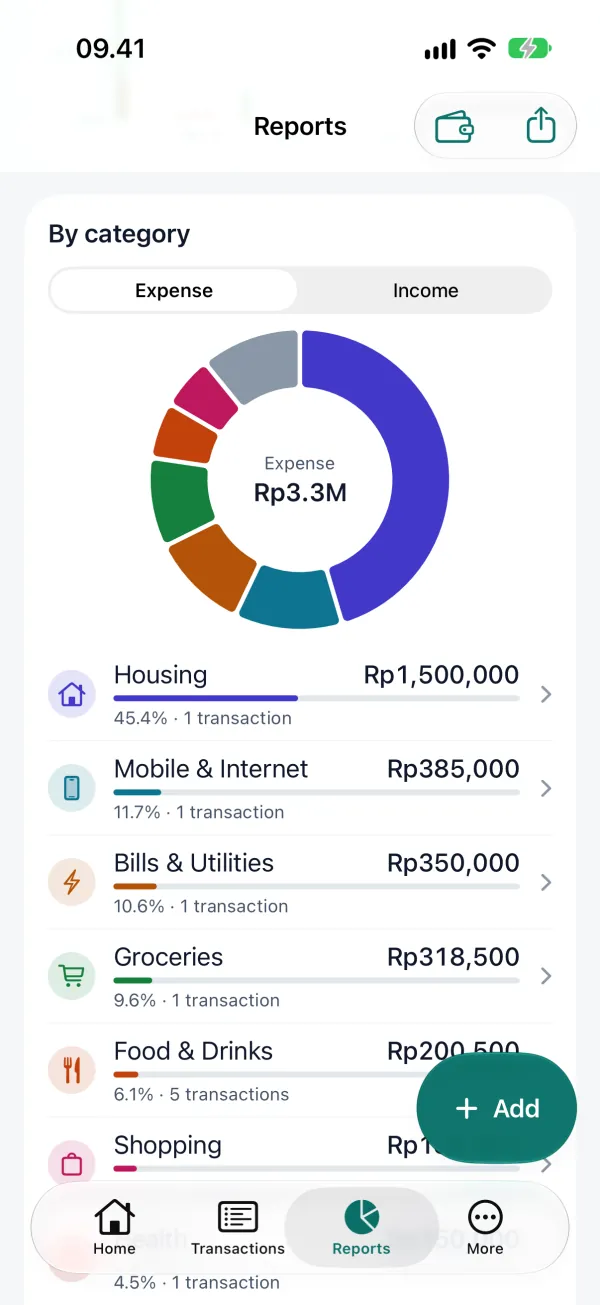
Reports and exports
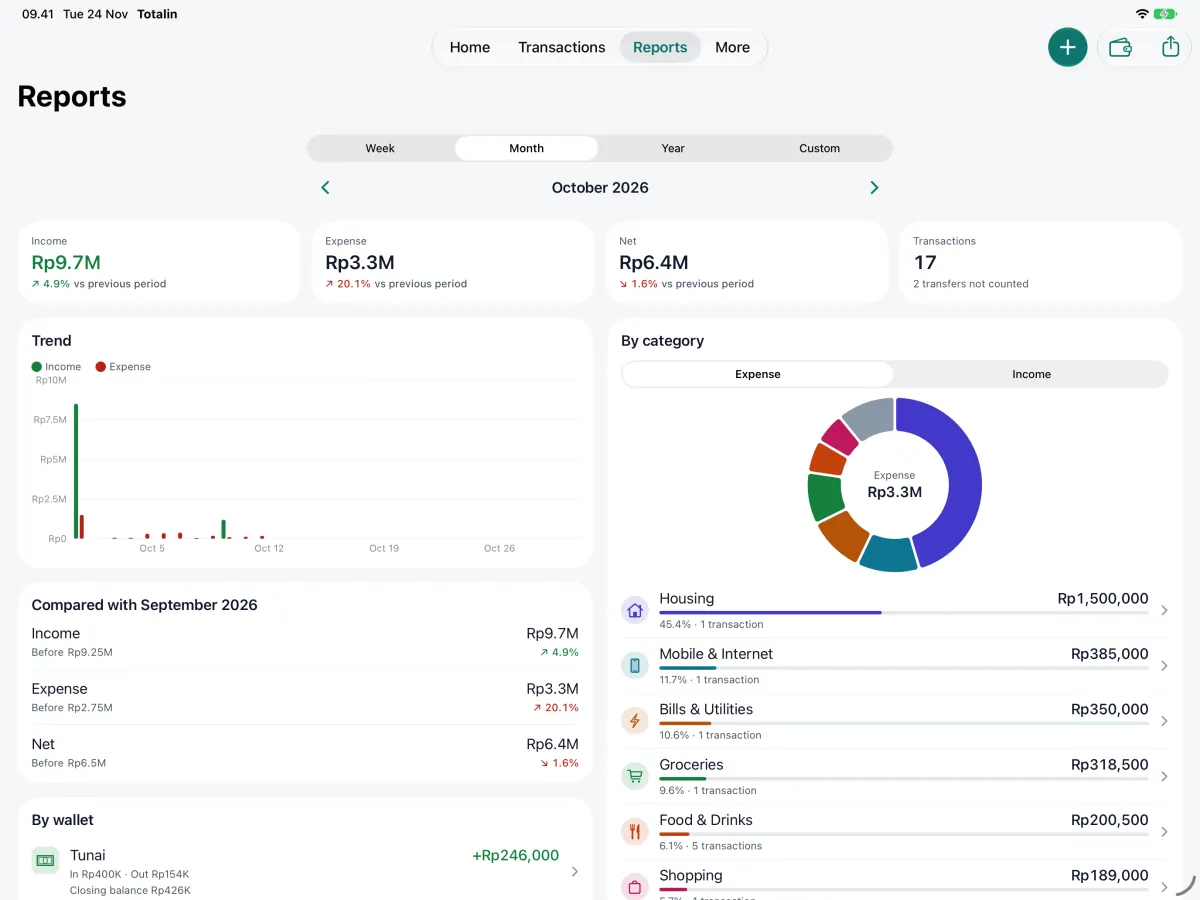
See spending by category and wallet, then export a PDF, Excel or CSV that is ready to send.
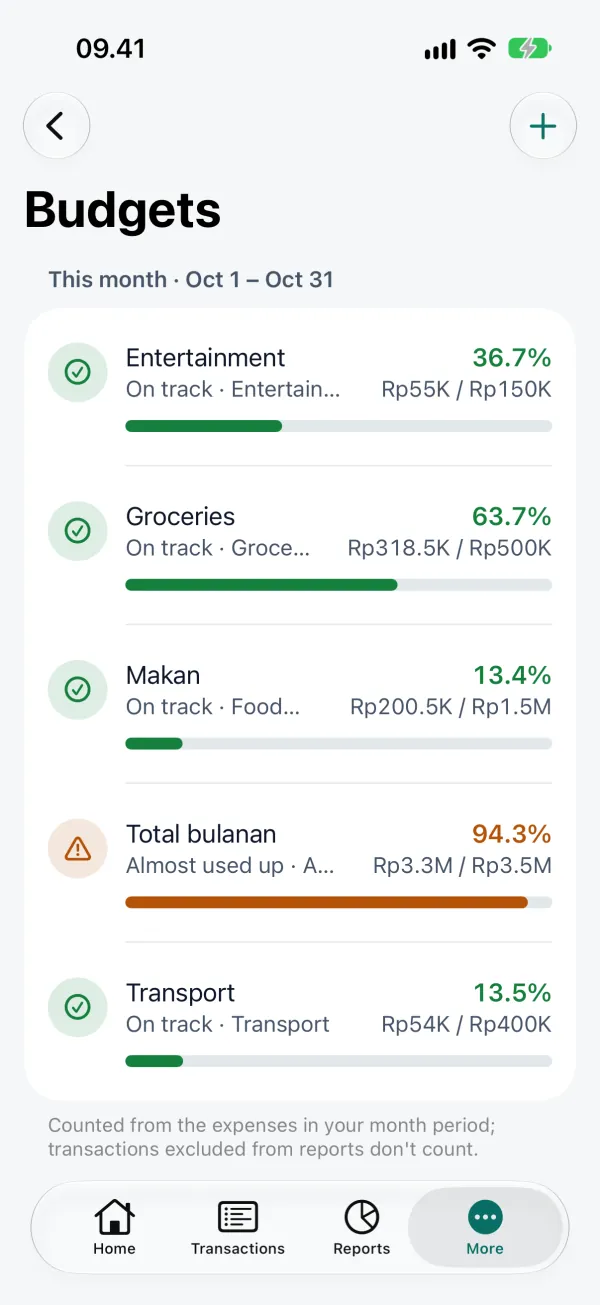
Budgets that stay on track
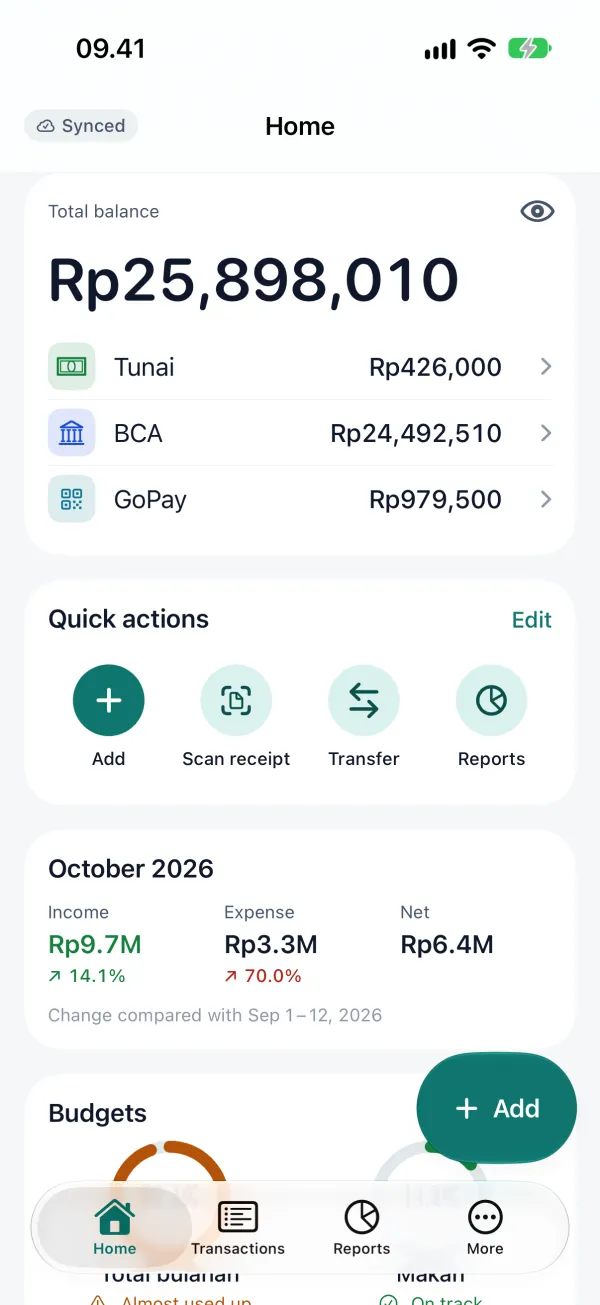
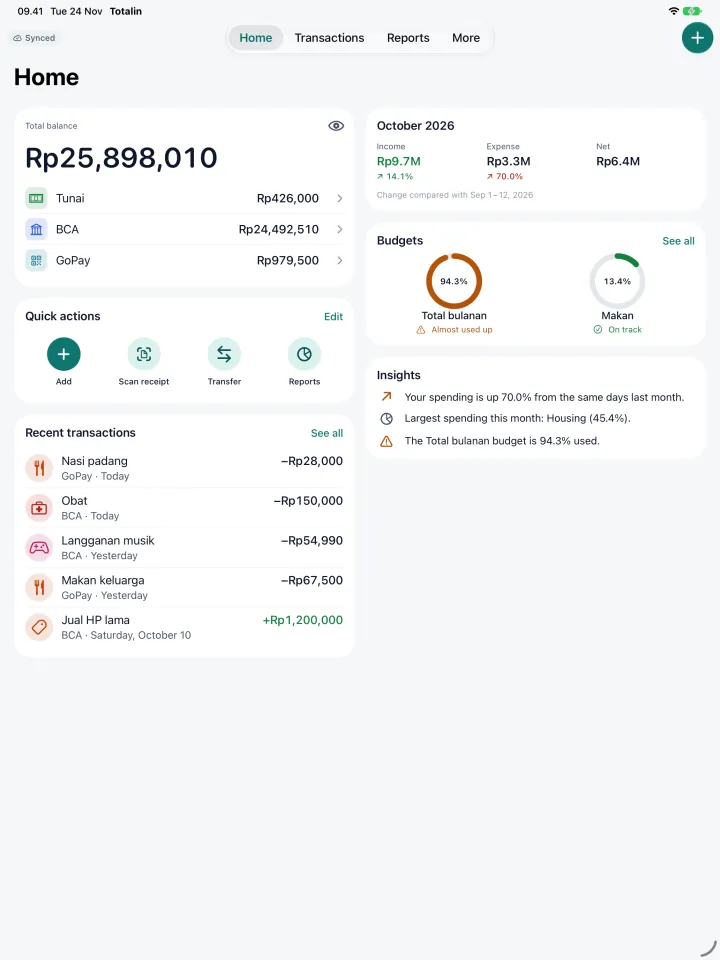
See what is left in each category before the month runs out.
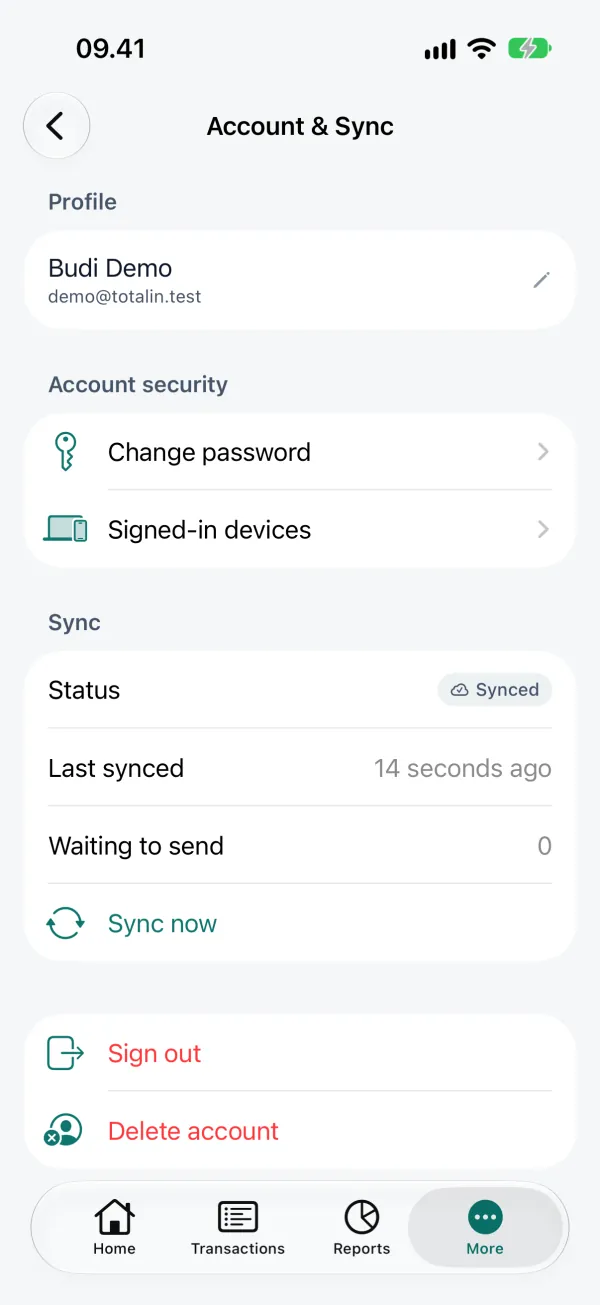
Offline, and in sync
Keep logging without signal. Changes sync once you are back online.
iPhone, iPad, Android and the web
One account, the same numbers everywhere.
Plans
Free to start, Pro when you need more
Logging, budgets, reports, sync and the web app are free for everyone. Pro adds more scans, AI and premium exports.
| Feature | Free | Pro |
|---|---|---|
| Logging, budgets and reports | included | included |
| Sync and the web app | included | included |
| PDF, Excel and CSV exports | included | included |
| Receipt scans per month | 10 | 300 |
| Receipt storage | 200 MB | 5,000 MB |
| store.limit.family_members_max | 0 | 5 |
| store.limit.shared_wallets_max | 0 | 10 |
| store.limit.ai_chat_messages_per_day | 20 | 60 |
| store.limit.ai_chat_messages_per_month | 20 | 200 |
| AI receipt scanning | included | included |
| Auto-save confident scan results | not included | included |
| Monthly AI summary | not included | included |
| Executive export style | not included | included |
| Your own logo and identity on reports | not included | included |
| No app credit on reports | not included | included |
| Receipt attachments inside PDFs | not included | included |
| Every logo pack | not included | included |
| Extra accent colours | not included | included |
| ai.chat | included | included |
| family.share | not included | included |
Pro prices are shown in the mobile app and billed by the App Store or Google Play.
Can I use it without internet?
Yes. The mobile app works fully offline, even without an account (data then stays on the device). Receipt scans and sync run once you are back online. The web app needs a connection.
How does my data sync?
Sign in with the same account on every device. Changes sync automatically when you are online; to sync right now, go to More › Account & Sync › Sync now. The web app always shows the latest data.
How many receipts can I scan?
The Free plan includes 10 scans a month and Pro 300 scans a month. The quota resets every month; see what is left in More › Store.
Is my data used for ads?
No. Totalin has no ads and no ad tracking, and never sells data. The mobile apps send crash reports and anonymised usage statistics to Google Firebase, never amounts, notes or names; turn this off under More › Settings › Privacy. Receipt photos are read by AI (a third-party AI service, possibly outside Indonesia) only after you agree.
Read the Privacy PolicyGet your money in order today
Use it on the web now, or keep it in your pocket with the mobile app.
- Coming soon toApp Store
- Get it onGoogle Play